Get the product ready.
Add, rename, select, and remove products. Learn where to enter settings from the mySpreader app and explore the important implement settings.
 Simulator sign in
PM ServiceOps / Equipment training
Get comfortable with the AMAZONE ZA-TS spreader display. Work through setup, practice a spreading run, and learn calibration—all from your browser.
No card required. No automatic charge for the demo.
Practice with the display
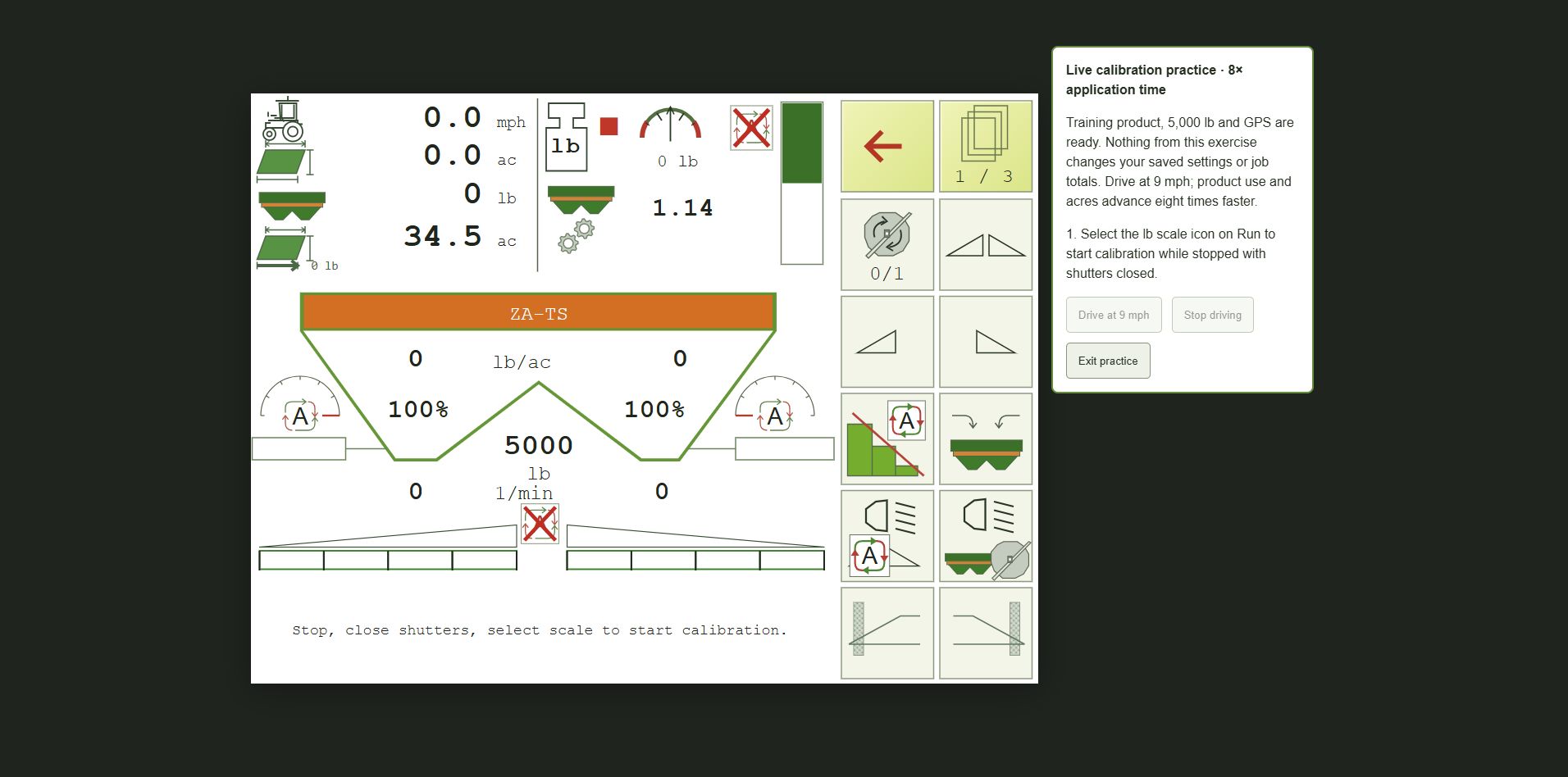
Follow a guided lesson, then try the controls yourself. Practice calibration with accelerated simulation time so you can see the process through.
From setup to spreading
Add, rename, select, and remove products. Learn where to enter settings from the mySpreader app and explore the important implement settings.
Learn the run-page icons, shutters, spreading discs, boundary modes, speed sources, and rate controls. See how your choices affect a simulated run.
Understand why calibration matters, follow the procedure, then attempt a guided practice run with faster application time.
Try it on your own time
Create a simulator account and activate your first device. That's when your 72-hour demo starts. When it ends, decide whether to subscribe.
Keep practicing
Use them for your computer, tablet, and phone—or share access with dealership colleagues. Each code works on one browser profile at a time and can be moved to another device.
Monthly
$25 / month
Billed monthly. Three device codes and access to the ZA-TS simulator and its tutorials.
Try it free first →Three months
$60 / 3 months
Equivalent to $20 per month, billed $60 every three months. The same simulator access and three codes.
Try it free first →Prices in USD, charged at the start of each billing period. Paid plans renew automatically until canceled. Cancel anytime without penalty; access continues through the full period already paid for. Sign in to choose a plan and subscribe securely. The free three-day demo requires no card.
No. The simulator has its own account and sign-in. Use the Simulator sign in link above for your simulator account, or switch to ServiceOps for service and sales tools.
No. The demo does not collect a card. You choose whether to subscribe after it ends. If you already created an account and haven't used a demo, you can start one from your simulator Account page.
Yes. The simulator runs in a browser. A computer gives you the most room to practice, and the tutorials also adapt to tablets and phones. A device activation belongs to that browser profile.
No. This is an independent training simulation from PM Precision Ag. It doesn't control equipment or replace the manufacturer's operator's manual, field calibration, or safety procedures. AMAZONE and ZA-TS identify the equipment being simulated.